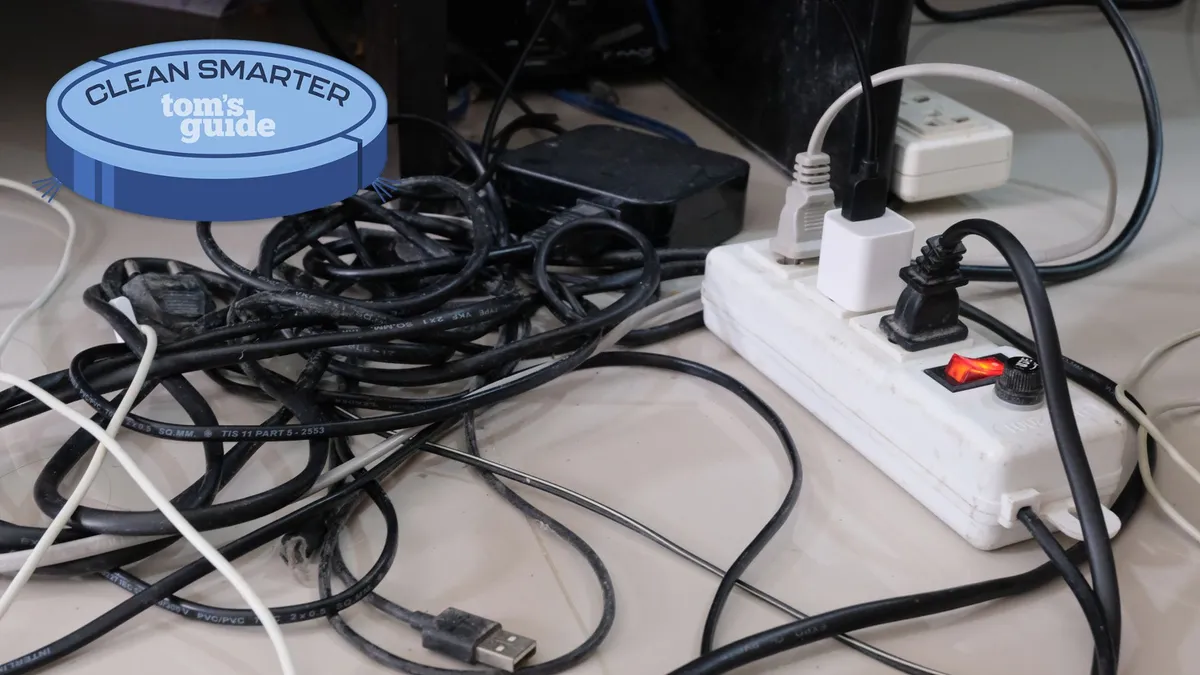
Messy cable areas usually develop because cords are added one device at a time without a plan for routing, excess length, or future access. The cleanest fix isn’t hiding every wire permanently. It’s creating a simple path that keeps cables controlled, identifiable, and easy to reach when a charger, monitor, router, or appliance needs attention.
Start by Identifying Where the Clutter Begins
Before buying organizers, unplug equipment that can safely be disconnected and separate cords by device. Power cables, charging leads, HDMI cords, networking cables, and extension cords often become tangled because they cross the same area in different directions.
Look for the main congestion point. It may be behind a desk, below a television, beside a nightstand, or near a power strip. A few visual planning notes kept with your room measurements can make it easier to decide which cords should travel together and which need their own route.
Remove Cables You No Longer Use
Old phone chargers, duplicate USB leads, disconnected speaker wires, and cables from replaced electronics can remain hidden in a bundle for years. Removing them first reduces the amount of organization work required.
Don’t discard unfamiliar cords immediately. Label questionable cables and place them aside until you’re certain they aren’t connected to equipment you still use.
Route Wires Along Predictable Paths
Cables look less distracting when they follow furniture edges instead of cutting diagonally across open areas. Run desk cords along the underside or rear edge of the desktop and guide television cables toward one vertical route whenever practical.
Cable clips, hook-and-loop straps, sleeves, and under-desk trays can all help. While comparing layouts, room layout references can be kept separate from electrical instructions so your final arrangement serves both appearance and everyday access.
Avoid tightening straps so much that cords bend sharply. A little movement helps prevent strain around plugs and connectors.
Deal With Excess Cable Length
Long cables often create more visual clutter than the equipment itself. Instead of stuffing extra length behind furniture, form a loose loop and secure it with a reusable strap.
| Cable Problem | Simple Fix | Access Benefit |
|---|---|---|
| Extra-long cord | Loose secured loop | Easy to shorten later |
| Several desk cables | Under-desk tray | Keeps floor clear |
| Visible wall route | Cable channel | Creates a cleaner line |
| Similar-looking leads | Small labels | Faster troubleshooting |
If you reorganize rooms frequently, avoid permanent solutions unless the cable route is unlikely to change. Home improvement reading can sit alongside your own measurements and equipment list while you decide which changes should remain flexible.
Keep Power Connections Practical
A neat setup still needs safe access to outlets and power strips. Don’t bury a power strip beneath heavy furniture or position plugs where they are constantly crushed against a wall.
Place frequently disconnected chargers where you can reach them without dismantling the whole cable system. Less frequently touched connections can sit farther back, provided they remain accessible for inspection.
Label Both Ends When Needed
Labels are especially useful behind computers, entertainment systems, and network equipment. A small tag marked “monitor,” “router,” or “printer” can save time when several identical cords reach the same power strip.
Why Hiding Every Wire Can Backfire
The biggest mistake is treating visibility as the only problem. Completely concealing cables may create a beautiful surface while making equipment harder to maintain.
Permanent adhesive channels, tightly packed boxes, and inaccessible furniture gaps can turn a thirty-second cable change into a much larger job. Heat-producing adapters also shouldn’t be crammed into an enclosed pile. A cleaner approach balances appearance with ventilation, movement, and access rather than making cords disappear at any cost.
Frequently Asked Questions
How can I hide cables without drilling holes?
Use removable cable clips, reusable straps, sleeves, under-desk trays, or surface-mounted channels designed for temporary installation. Choose products appropriate for the surface so removing them later is less likely to damage paint or furniture.
Should power cords and data cables be bundled together?
They can sometimes share a general route, but separate smaller groups are easier to identify and maintain. Keeping different cable types organized also prevents one disconnected device from disturbing an entire tightly bound bundle.
How often should cable organization be reviewed?
Review it whenever equipment changes or the area becomes difficult to clean. Desks and entertainment centers usually need attention after devices, chargers, or accessories are added rather than according to a strict schedule.
Build a System You Can Maintain
A tidy cable area works best when you can understand it at a glance. Remove unused cords, create predictable routes, secure extra length, and leave important connections reachable. The goal isn’t a perfectly invisible setup. It’s a controlled arrangement that stays easy to clean, adjust, and troubleshoot as your electronics change.